Good things take time.Keep track of every batch.
From kombucha to kimchi, Fermory helps you track your fermentations, capture every experiment, and remember what worked.
Coming soon to iPhone & Android
- No account
- Works offline
- Your journal stays on your phone
01What it does
A field journal for living things in jars.
Track every batch
Every jar, crock and bottle gets its own page: what’s in it, when you started, its Day count against your own plan, and everything since.
Never miss a check-in
Gentle reminders to burp, feed, strain or taste — on your schedule, delivered by your phone. Done or snooze right from the notification.
Remember what worked
Rate how it turned out, note what you’d change, and start the next batch from the one you loved. Your recipes keep every version.
02A closer look
Calm screens for slow food.
Built natively for iPhone and Android, light and dark.
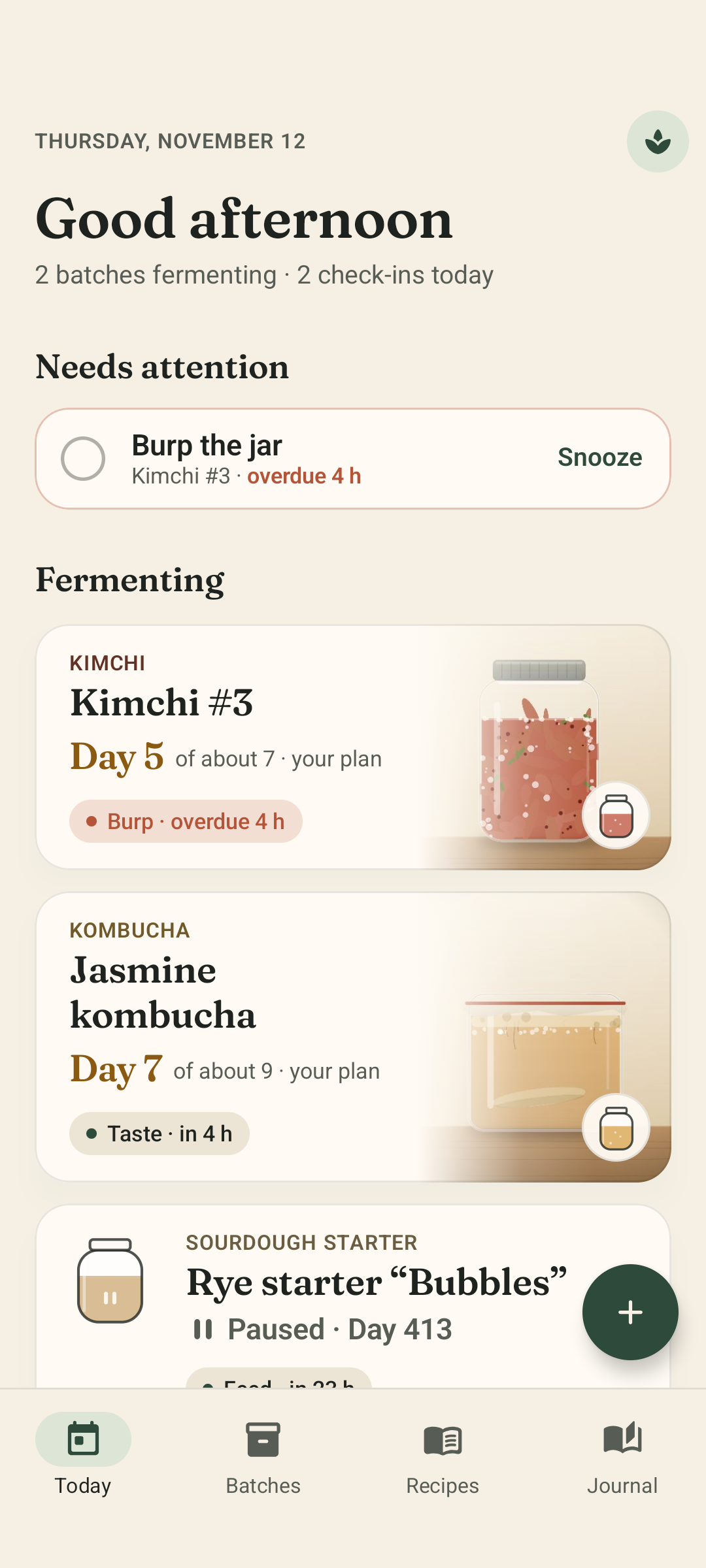
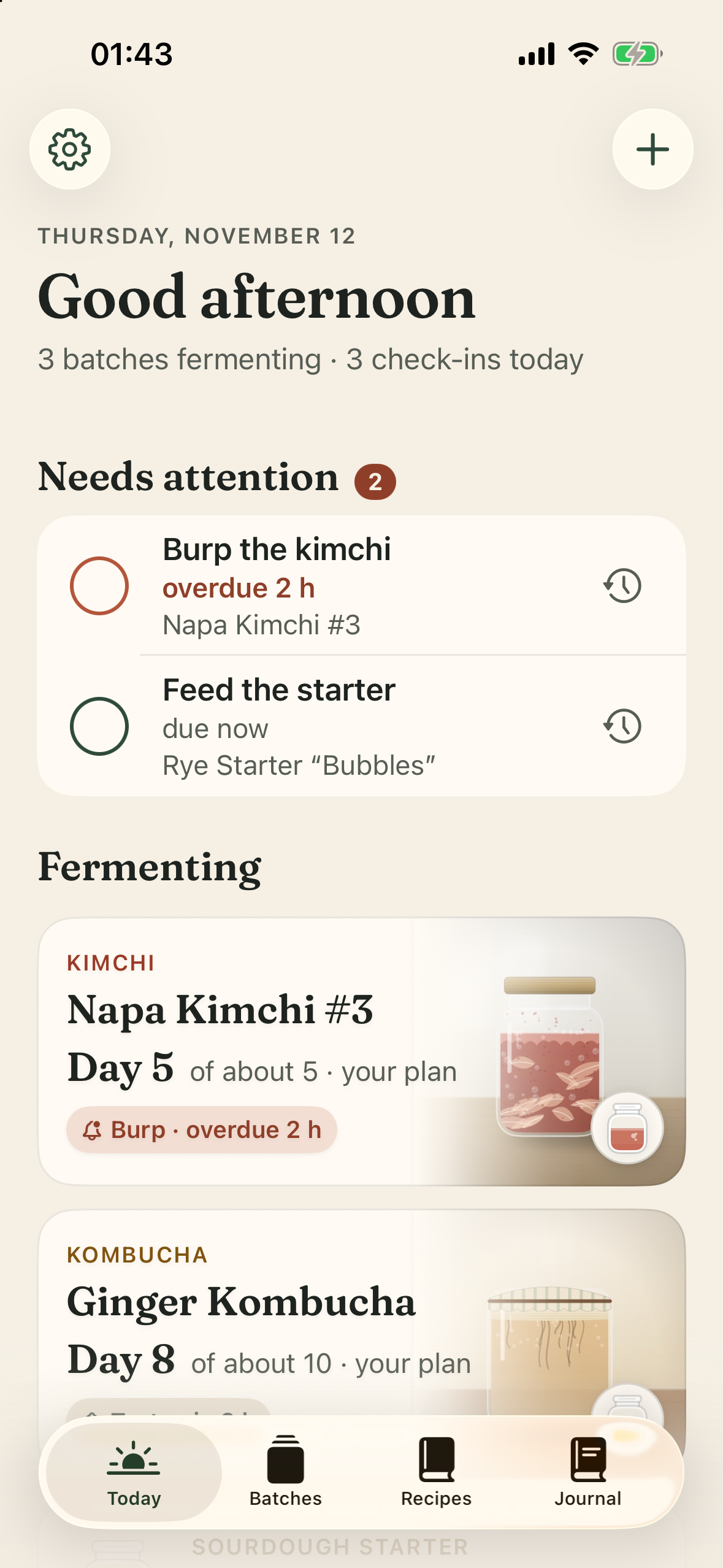
01Today
What needs you, and what’s fermenting.
Due check-ins first, then every live batch with its Day count. No streaks, no scores.
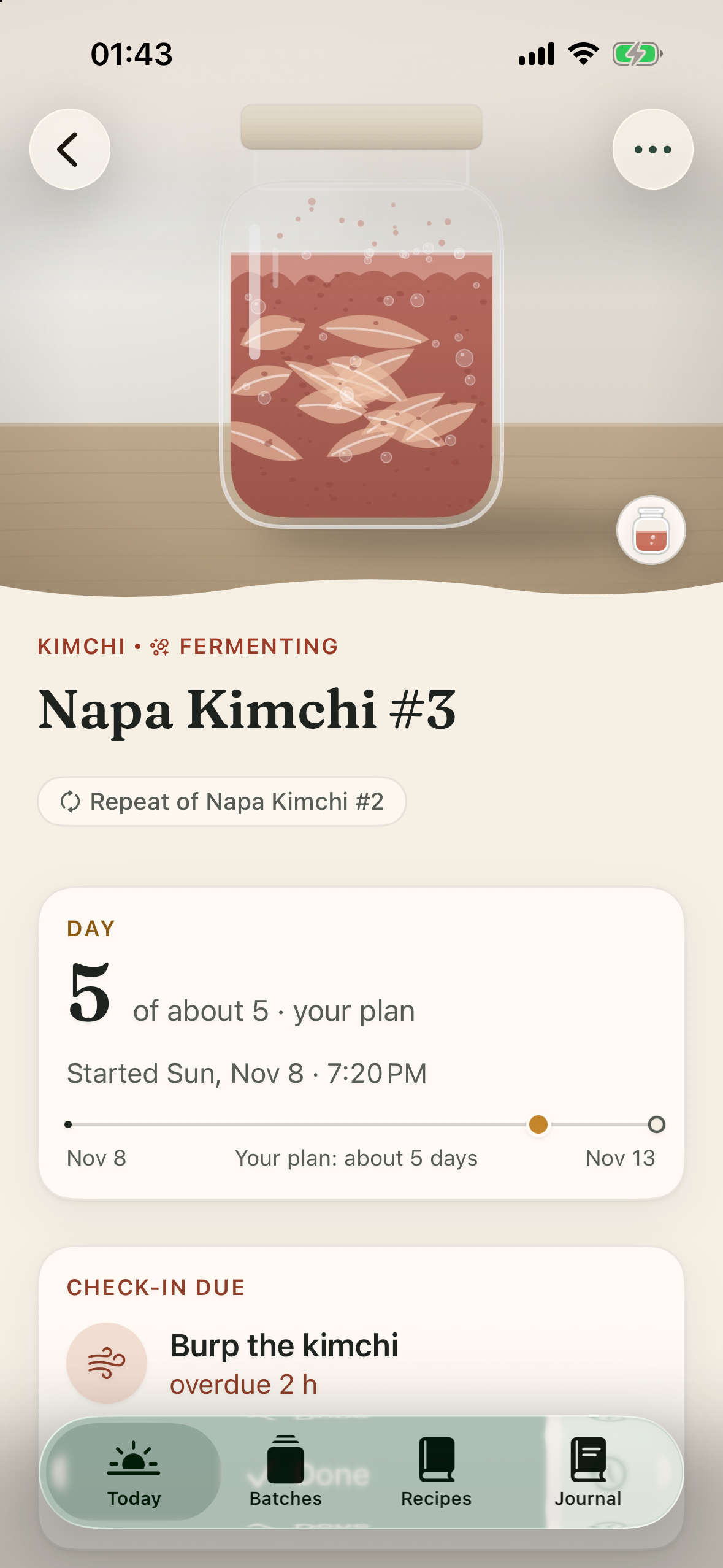
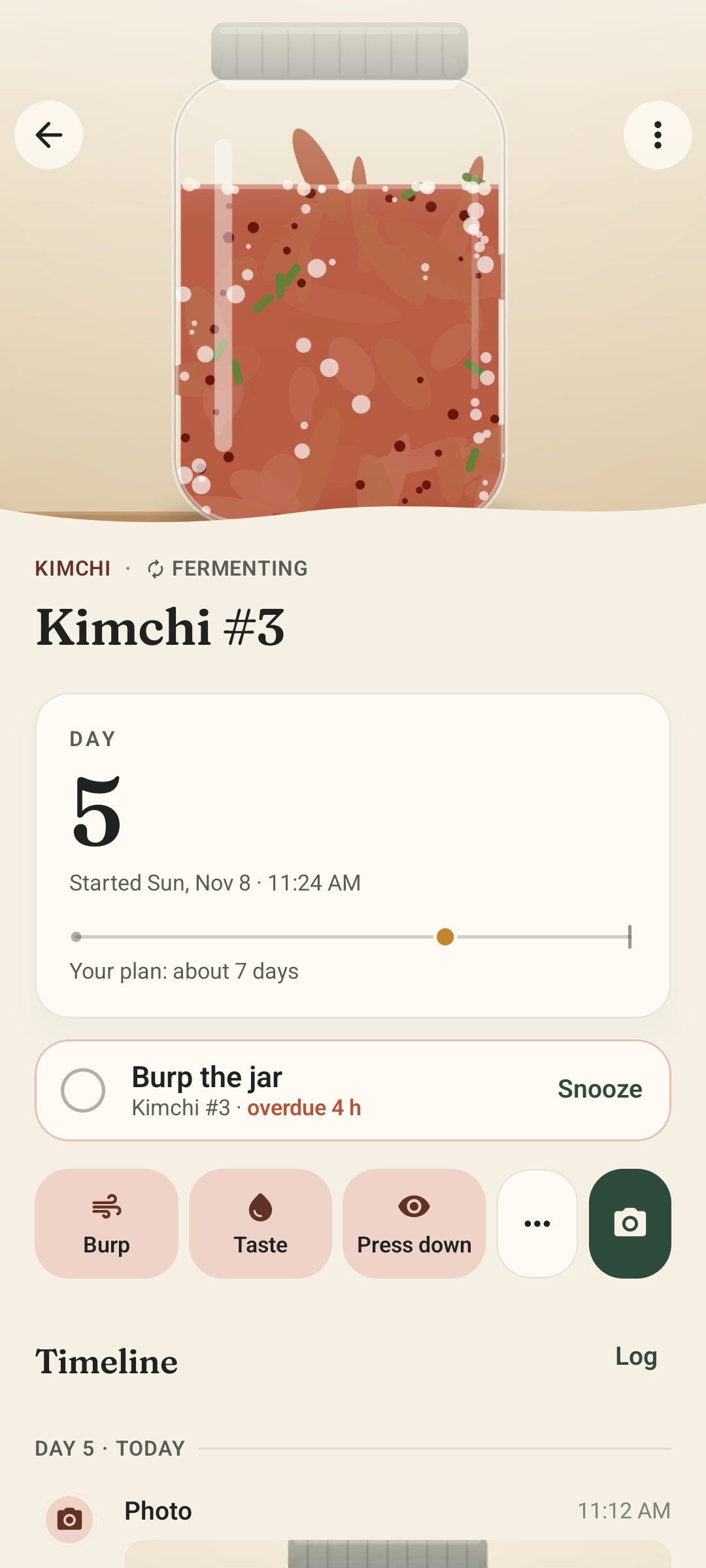
02Batch detail
Every batch gets its own page.
Day count against your own plan, the next check-in, and one-tap actions for its type — Burp, Feed, Taste.
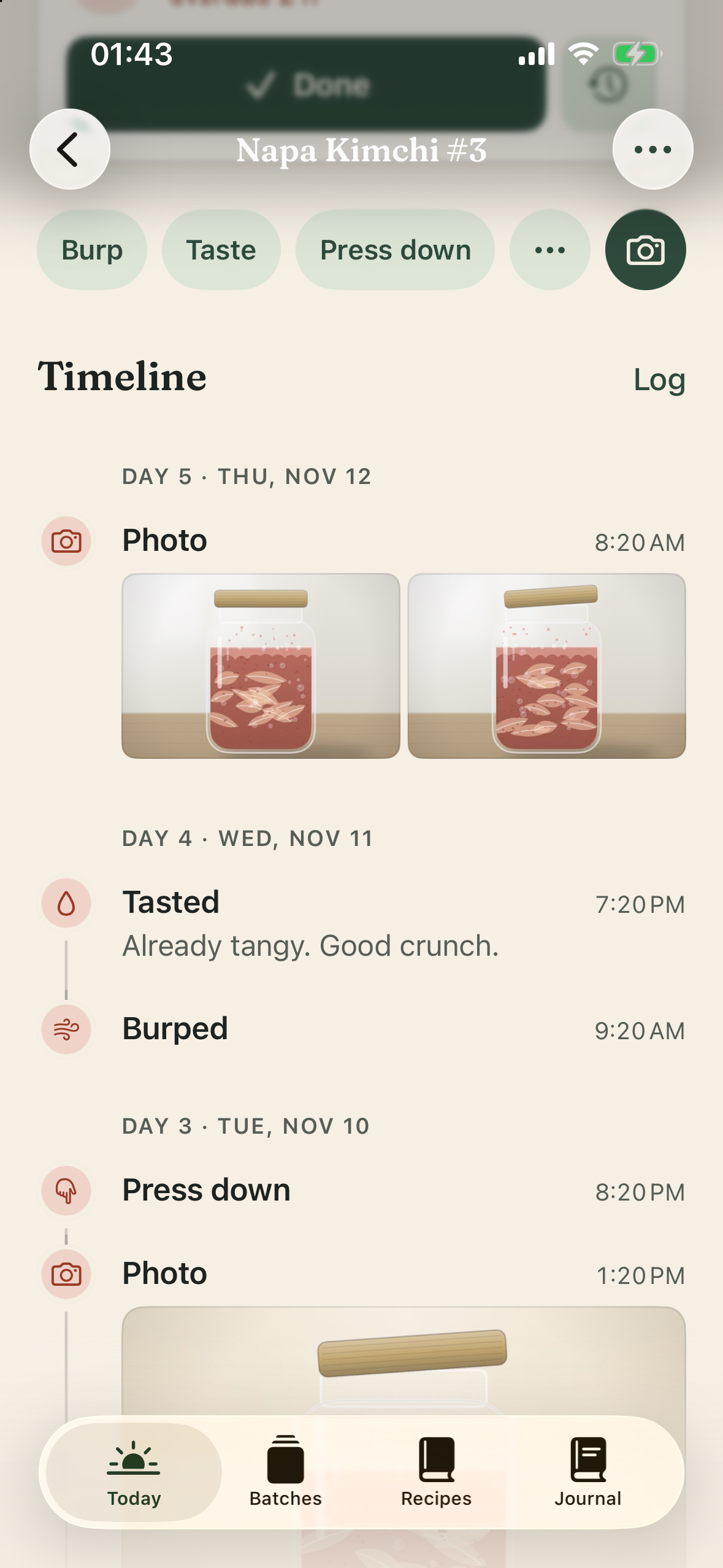
03Timeline
Everything you did, in order.
Tastes, feeds, burps, notes and readings like 72 °F or pH 3.4, grouped by day.
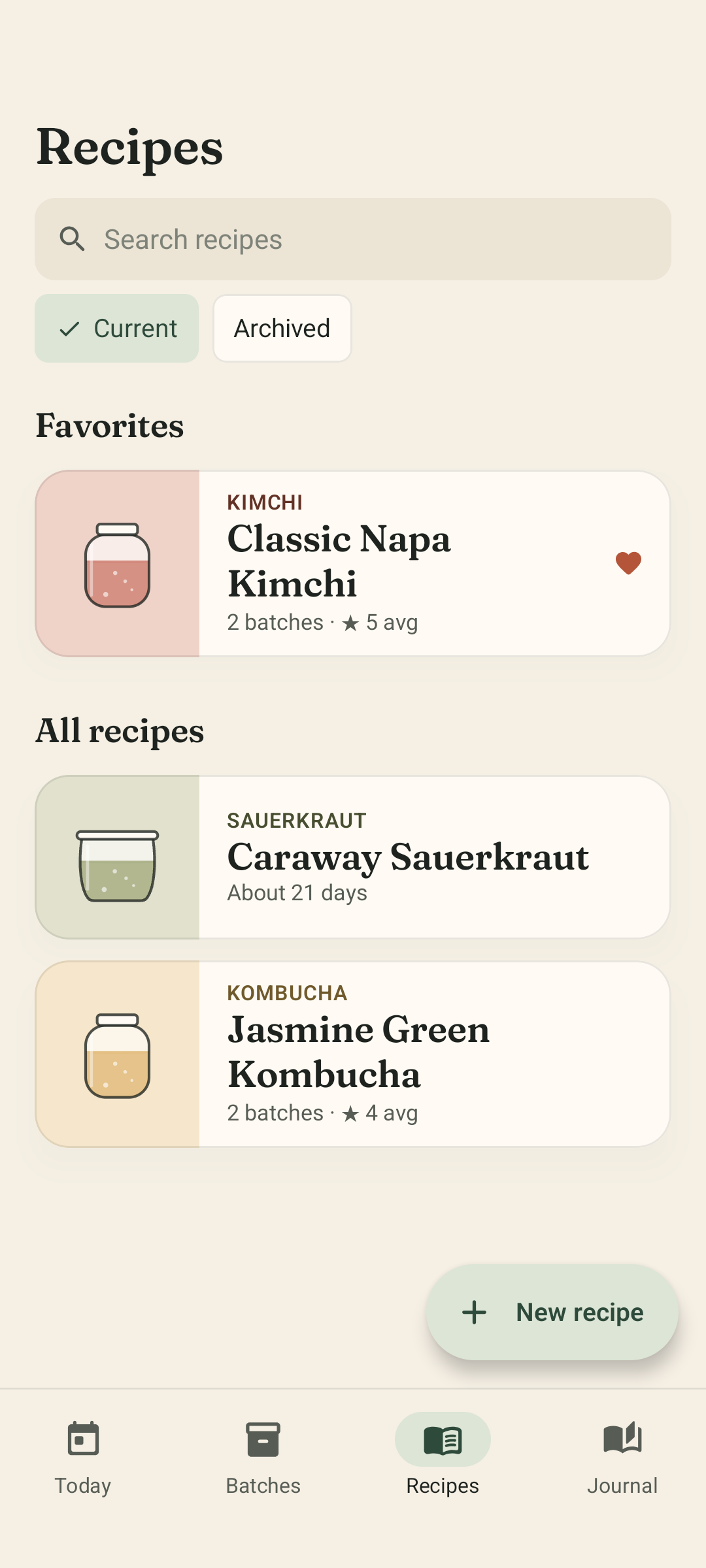
04Recipes
Make the good ones again.
Keep your recipes with every version, and see each batch you made from them. Fermory ships no recipes — they’re yours.
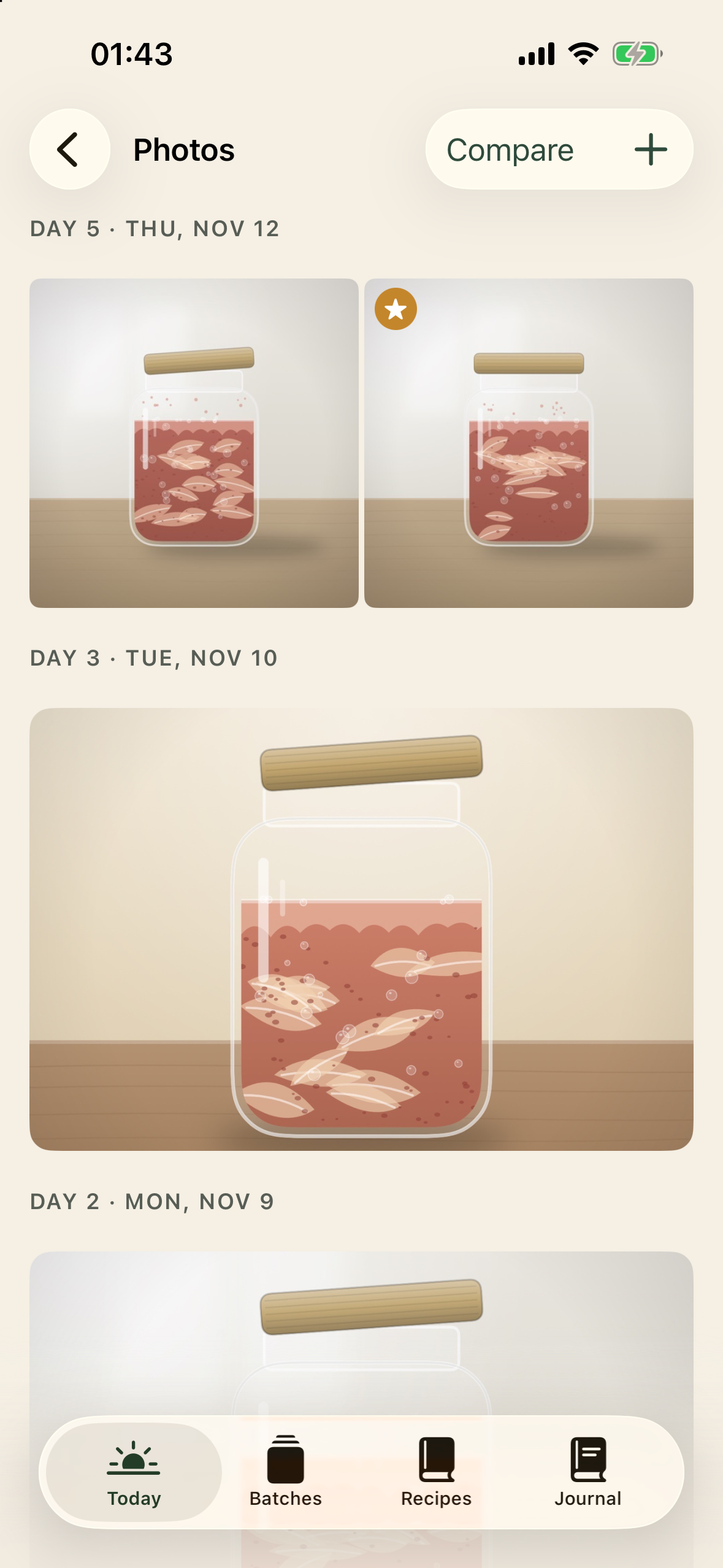
05Photo journal
Watch it change.
A photo journal by day, with side-by-side compare: Day 1 next to Day 9.
03How it works
Three steps, at the pace of the jar.
Step 1: Start a batch
Pick what you’re making, when you started and roughly how long you plan to let it go. Turn on the reminders you want.
Step 2: Track and document
Log a burp, a feed or a taste with one tap. Add notes, photos and readings as it changes.
Step 3: Save what worked and make it again
When it’s done, rate it and note what you’d change. Next time, start from that batch or from your recipe.
04Types
Made for every ferment.
Each type comes with its own quick actions, measurements and color — so a kimchi jar asks to be burped and a starter asks to be fed.
Kombucha
Taste · Bottle · Transfer
Kimchi
Burp · Taste · Press down
Sauerkraut
Check brine · Taste · Press down
Sourdough starter
Feed · Check rise · Refrigerate
Water kefir
Strain · Bottle · Taste
Milk kefir
Strain · Taste · Feed grains
Yogurt
Check set · Refrigerate · Taste
Hot sauce
Burp · Taste · Check brine
Your own
05Fermory Plus
Free for good. Plus when the shelf fills up.
No ads, no account, no trial clock on the essentials.
Free
Everything you need to keep a journal.
- Up to 3 batches fermenting at a time
- Unlimited finished batches and history
- Unlimited recipes, with versions
- The full timeline, quick actions and measurements
- Unlimited reminders and photos
- Search, Repeat, export and import
Fermory Plus
Everything in Free, and:
- Unlimited batches fermenting at once
- Compare: two or more batches side by side, with their readings charted
- Insights: average durations, best-rated batches, what you changed
- Alternate app icons and accent themes
Prices shown in the app stores at launch.
Your data is never behind a paywall. Viewing, editing, exporting or deleting what you’ve logged is always free — and if Plus ends, every batch keeps running with its reminders.
06Our stance
A journal, not a judge.
Fermory keeps time and keeps notes. It never tells you food is safe — follow a tested recipe, and when in doubt, throw it out.
Built-in types include short cautions from sources like the USDA, the National Center for Home Food Preservation and university extension services — always credited, never a verdict. Your Day count is a fact, not a finish line.
07FAQ
Questions, answered.
More on the support page, or write to us any time.
What can I track?
Any fermentation: kombucha, kimchi, sauerkraut, sourdough starter, water and milk kefir, yogurt, hot sauce, or a type you set up yourself.
Each batch gets its own Day count, reminders, and a timeline of what you did and saw — tastes, feeds, burps, notes, photos, and measurements like temperature, pH and salt.
Is Fermory free?
Yes. Fermory is free to use with up to three batches fermenting at a time, with no ads and no account. Your history, recipes, reminders and photos are unlimited.
Fermory Plus is an optional subscription for unlimited batches, Compare and Insights. Prices will be shown in the App Store and Google Play at launch.
Can I use it offline?
Yes, everything works offline. There is no account and no server — your journal and your reminders live on your phone.
Can I track several batches?
Yes — three at a time on the free plan, unlimited with Fermory Plus. Planned and finished batches don’t count toward the three.
Does it work for sourdough and kombucha?
Yes. A sourdough starter gets Feed and Check rise as quick actions and no end date, so it can run as long as you keep it going. Kombucha gets Taste, Bottle and Transfer, with temperature and pH readings.
Can I sync across devices?
Not yet. Your journal lives on your device; you can export it and import it on another phone, iPhone or Android.
Does Fermory collect my data?
No. Fermory has no accounts, no analytics and no ads. Nothing you log leaves your phone unless you export it yourself. Purchases are handled by Apple and Google.